~/abhipraya
[S3, W1] PPL: Applying Infrastructure Knowledge
What I Worked On
This week I applied infrastructure knowledge in two directions. One was debugging: three CI and deployment failures that needed tracing through multiple layers. The other was adoption: using Superset workspaces so I could develop the Telegram feature in parallel with the Tiptap email editor (MR !200) without either feature blocking the other.
Parallel Feature Dev with Superset Workspaces
The Telegram notification feature is large: 20+ red/green commits, eight new service files, four migration hooks across existing services, and a daily-digest Celery task. If I had developed it on the same checkout where MR !200 was waiting on CI, every Telegram commit would have meant a git stash, a branch switch, and a re-run of make dev. Worse, the migrations conflict (Telegram adds telegram_event_toggles; MR !200 had its own template-variable migrations) so I could not even hold both in the same database without dropping and re-seeding constantly.
Superset solves this by giving each branch its own worktree with its own infrastructure stack:
- A 10-port block allocated from
~/.superset/sira-port-allocations.json(3001-3010 for the main checkout, 3011-3020 for the Telegram worktree, etc.). - A per-workspace Redis container (
sira-redis-ws-3011). - A per-workspace Supabase project (
sira-ws-3011) with its own database, auth, and studio on the shifted ports. - A patched
.env.localthat wires the API to the workspace’s own Supabase and Redis URLs.
This is configured in scripts/superset-setup-env.sh, which runs once when a new workspace is created. The interesting bit is the Supabase project ID derivation: each workspace generates its own .superset/supabase/config.toml with project_id = sira-ws-<base_port>, which means Docker container names never collide and supabase start runs cleanly even when three workspaces are up at once.
The result was concrete this week: I left the Tiptap MR baking on CI in one workspace, switched windows, and ran the Telegram feature with its own Supabase containing the new telegram_event_toggles table. Both ran simultaneously, both were testable in the browser, neither blocked the other.
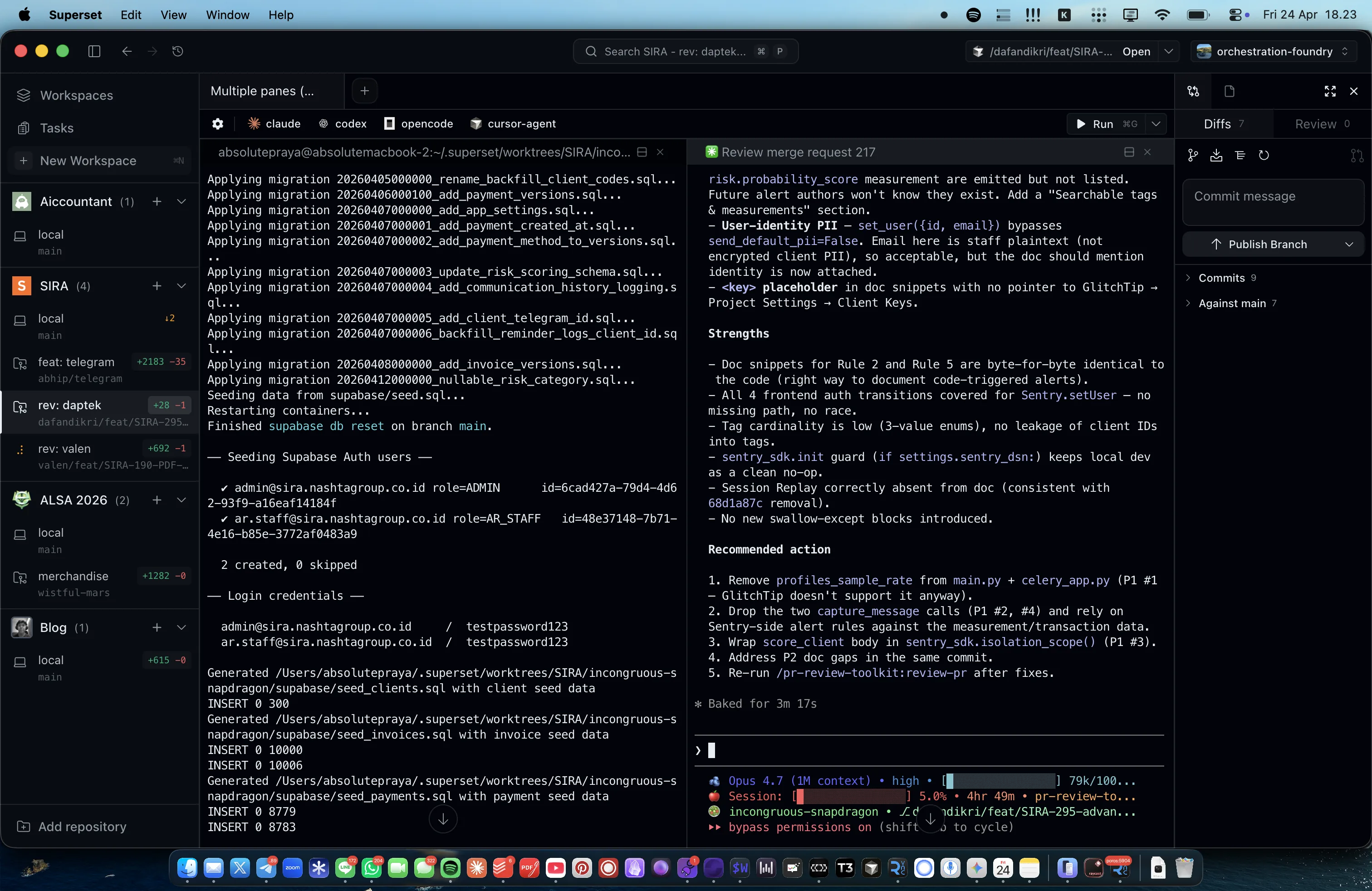
The sidebar in the screenshot shows what this looks like day-to-day: the SIRA top-level has two active workspaces (rev-daptek for the main checkout running migrations, and another for a separate feature), plus unrelated projects (Accountant, ALSA 2026, merchandise, Blog) each with their own worktrees. The right pane is the AI agent running an MR review inside one of the SIRA workspaces, and the bottom-left terminal is applying migrations in a different workspace. Both run without interfering with each other because their infrastructure is fully separated.
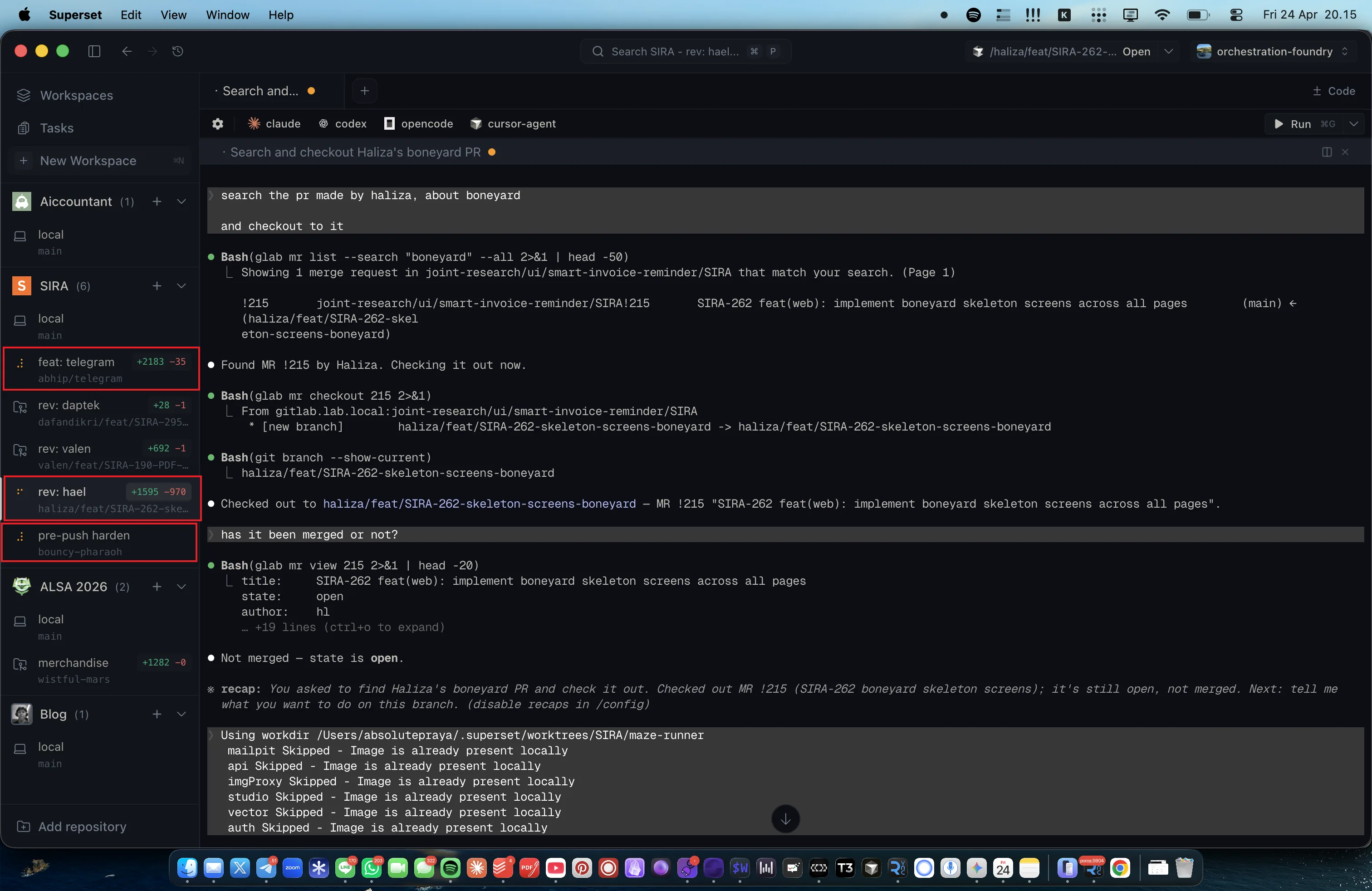
This second screenshot shows the payoff more directly: three separate SIRA workspaces (feat-telegram, rev-daptek, tes-load) each have their own AI coding agent active at the same time, each making progress on a different task. Because every workspace owns its port block, its Redis container, and its Supabase stack, the three agents cannot step on each other. No “port 3001 already in use,” no “migration conflict with another branch,” no “one agent’s make dev killed another’s.” This is the concrete operating mode that lets me delegate parallel feature work without manual coordination.
CI Slot Orphan Race
Our integration tests use three parallel Supabase slots managed by flock (added in MR !197). Jobs were failing with no Supabase slot free after 30 min even when no tests were running. I SSH’d into the runner and found that a previous job had been killed by a GitLab timeout, leaving both the flock lock and the Docker containers in place.
The fix had two parts:
- Permission fix. The slot directory had a sticky bit set by an earlier manual smoke test run as
ubuntu, so thegitlab-runneruser could not remove orphan files. I changedchmodto0777(no sticky bit) and added a loop that reclaims lock files owned by other users. - PID-based sweep. I added an orphan sweep at the top of
scripts/ci-supabase-slot.shthat reads.owner.pidfrom each slot directory and checks if the process is still alive. If the owner is dead, it stops the containers and removes the directory before the next job tries to claim that slot.
This required understanding how flock interacts with shell EXIT traps and how Docker container names collide across different project_id values. Committed in c7e18ac0.
Bandit False Positive
Bandit flagged Markup(body_html) in email_template_service.py as B704 (unsafe markup). The flag was technically correct (Markup can bypass escaping), but contextually wrong because the HTML comes from a SandboxedEnvironment with autoescape=True, and the body_html itself was already sanitized by Bleach in EmailTemplateUpdate.
I considered three options:
- Add
# nosec B704with a comment. - Refactor to avoid Markup entirely.
- Disable B704 globally in the Bandit config.
Option 3 was too broad (kills the rule for the whole project). Option 2 would mean rewriting the Jinja2 base template wrapper, a much larger change for no security gain. Option 1 was the right tradeoff: it kept the security gate strict, documented the exception inline for future auditors, and required no architectural change. Committed in ec2ef1d0.
Docker IPv6 Fallback
The deploy job failed with dial tcp [2606:...]:443: connect: network is unreachable during docker pull. The error was intermittent, which suggested DNS-level CDN behavior (Cloudflare’s Docker mirror returning AAAA records when IPv6 was advertised) rather than a permanent outage.
I checked /etc/docker/daemon.json on the VPS and found no IPv6 setting. Docker defaults to enabling IPv6 when the kernel supports it, but our VPS provider does not route IPv6 traffic, and Docker does not fall back to IPv4 fast enough. The fix was to explicitly disable IPv6 in daemon.json. I added a preflight check to the deploy script that warns if the setting is missing, turning a mysterious failure into a self-documenting check. Committed in a343d4a5.
What I Learned
Infrastructure debugging rewards layered observability. Feature bugs usually have one stack trace; infrastructure bugs involve multiple systems (CI scheduler, shell, Docker, kernel networking, DNS) and timing-dependent races. The key is to leave breadcrumbs at every layer: PID files for slot ownership, inline nosec comments for security exceptions, preflight checks for environment assumptions.
The Superset adoption is a different kind of aptitude: knowing when to invest in a tool change instead of muscling through with the existing setup. The 30 minutes I spent learning Superset paid back the first time I needed to run two feature branches at once.
Evidence
- Commit
c7e18ac0— fix(ci): orphan slot cleanup in ci-supabase-slot.sh - Commit
ec2ef1d0— fix(ci): suppress Bandit B704 false positive with documented nosec - Commit
a343d4a5— fix(ci): Docker IPv6 preflight check in deploy script - Source:
scripts/ci-supabase-slot.sh - Source:
scripts/superset-setup-env.sh,.superset/process-compose.yaml - Source:
apps/api/src/app/services/email_template_service.py - Source:
CLAUDE.md