~/abhipraya
Bypassing Captchas With a 99% Win Rate (Without Solving a Single One)
I self-host a bookmark manager. Every time I save a link, a background worker opens the page in a headless Chromium, takes a screenshot, and pulls the unfurl preview, so the bookmark shows up with a real thumbnail instead of a grey box.
It worked perfectly on my laptop. Then I moved it to my VPS and half the previews came back broken: Cloudflare interstitials, “checking your browser” pages, raw 403s. The screenshots were of captcha walls.
Nothing was wrong with my crawler. The problem was where it was connecting from.
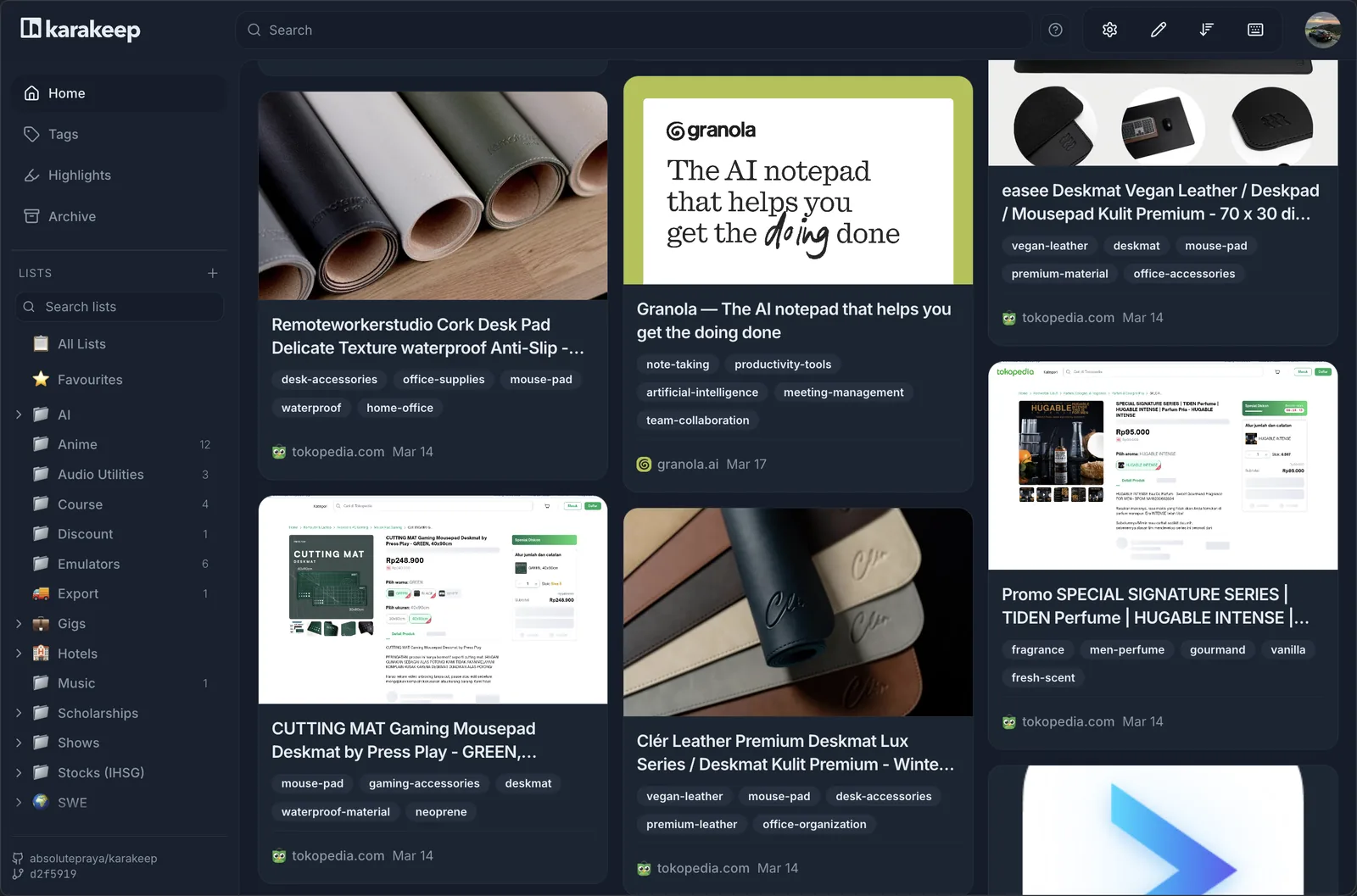
The goal: every saved link gets a real preview, not a captcha screenshot.
The wall every headless browser hits
This is not a me problem. Any headless browser hitting a modern site from a cloud IP runs into the same wall: scrapers, screenshot services, link-preview crawlers, monitoring jobs, and AI agents driving a browser. The moment your traffic leaves a datacenter, a large chunk of the web treats you as a bot before you have done anything.
To understand why, you have to look at the one signal that gets checked before everything else.
Why it happens: the IP trust hierarchy
Anti-bot systems like Cloudflare, DataDome, and Akamai do not wait around to watch your browser behave. The first thing they do, before reading a single byte of your request, is look up the ASN (Autonomous System Number) of your IP. The ASN tells them who owns the network block your connection came from.
There are three broad buckets, from least to most trusted:
- Datacenter ASN (AWS, Google Cloud, OVH, Hetzner, and whoever hosts your VPS). Real people do not browse from a server farm, so this is pre-classified as bot-shaped traffic and challenged or blocked on sight. Datacenter proxies routinely drop to 20 to 40 percent success on protected sites.
- Residential ASN (a consumer ISP). These belong to real households and are not on the datacenter blocklists, so they clear the first gate.
- Mobile carrier ASN (Telkomsel, Indosat, Verizon, and so on). This is the top of the hierarchy, and the reason is economics, not technology.
Mobile networks use CGNAT (Carrier-Grade NAT): hundreds to thousands of real subscribers share a single public IP address. Blocking that one address means blocking thousands of the carrier’s paying customers. No commercial site will do that. So mobile-carrier IPs carry an inherent trust premium that no amount of fingerprinting strips away. DataDome’s 2025 benchmark put mobile-carrier IPs at 95 to 99 percent success on protected targets, the highest of any IP type.
The ASN check is layer one. There are more layers after it (TLS/JA4 fingerprinting, behavioral analysis, browser fingerprinting), but layer one fires first and hardest. If you fail it, you never reach the rest. You just get the wall.
flowchart TD
    A["Headless Chromium
screenshot job"] --> B{"Exit IP type"}
    B -->|"Datacenter IP
(your VPS host)"| C["Anti-bot reads the ASN"]
    C --> D["Hosting ASN
low trust"]
    D --> E["Captcha wall / 403"]
    B -->|"Residential proxy
(mobile carrier ASN)"| F["Anti-bot reads the ASN"]
    F --> G["Carrier ASN
CGNAT, high trust"]
    G --> H["Page loads
screenshot captured"]
The trick: do not solve the captcha, never trigger it
Most “captcha bypass” content is about solving captchas: OCR, token farms, solver APIs. This is the opposite. You do not solve anything. You make your traffic win the IP-reputation gate so the challenge never appears in the first place.
The recipe is one sentence: run your headless browser behind a residential proxy whose exit ASN is a mobile carrier, and rotate the exit IP.
That is the whole thing. The browser stays exactly the same, real Chromium, no patched fingerprints. Only the exit IP changes, and that single change moves you from the bottom of the trust hierarchy to the top.
So why 99 percent and not 100? Two reasons worth being honest about. First, the IP layer is decisive but not the only layer, and an occasional site with aggressive behavioral detection still trips. Second, and this is the important nuance for my use case: my crawler does one human-paced page load per saved bookmark. It is low volume. Cloudflare’s newer models can flag residential-proxy abuse, but they need traffic volume to build a behavioral signal, and a few screenshots a day never gets there. At low volume, winning the IP layer is winning everything. At agent scale (more on that below) that stops being true.
Setting it up
Two parts: a proxy, and pointing your browser at it.
The proxy
You want a residential or mobile provider that lets you target a specific carrier ASN. I use mymiyel (Shopee store). Not sponsored, I just went looking for a cheap provider that actually works, and this one does. One caveat: it is Indonesian IPs only, so it is the right pick if you want Indonesian exit traffic (which I do, most of what I save is region-relevant). If you need other countries, any provider with ASN or carrier targeting works the same way.
These services usually encode routing in the proxy username and expose the rest in a panel. Mine looks like:
daffabhi-region-Rand
The -region-Rand suffix means “rotate region randomly,” which is what gives you a fresh IP per session. To pin a specific carrier, you set its ASN in the panel’s ASN selector. Finding the code is the one slightly manual step, and the provider’s own advice was the simplest version of it: Google “Telkomsel ASN” and use the number from the first result. For Telkomsel that is AS23693. Set that, and every exit IP now reads as Telkomsel mobile traffic.
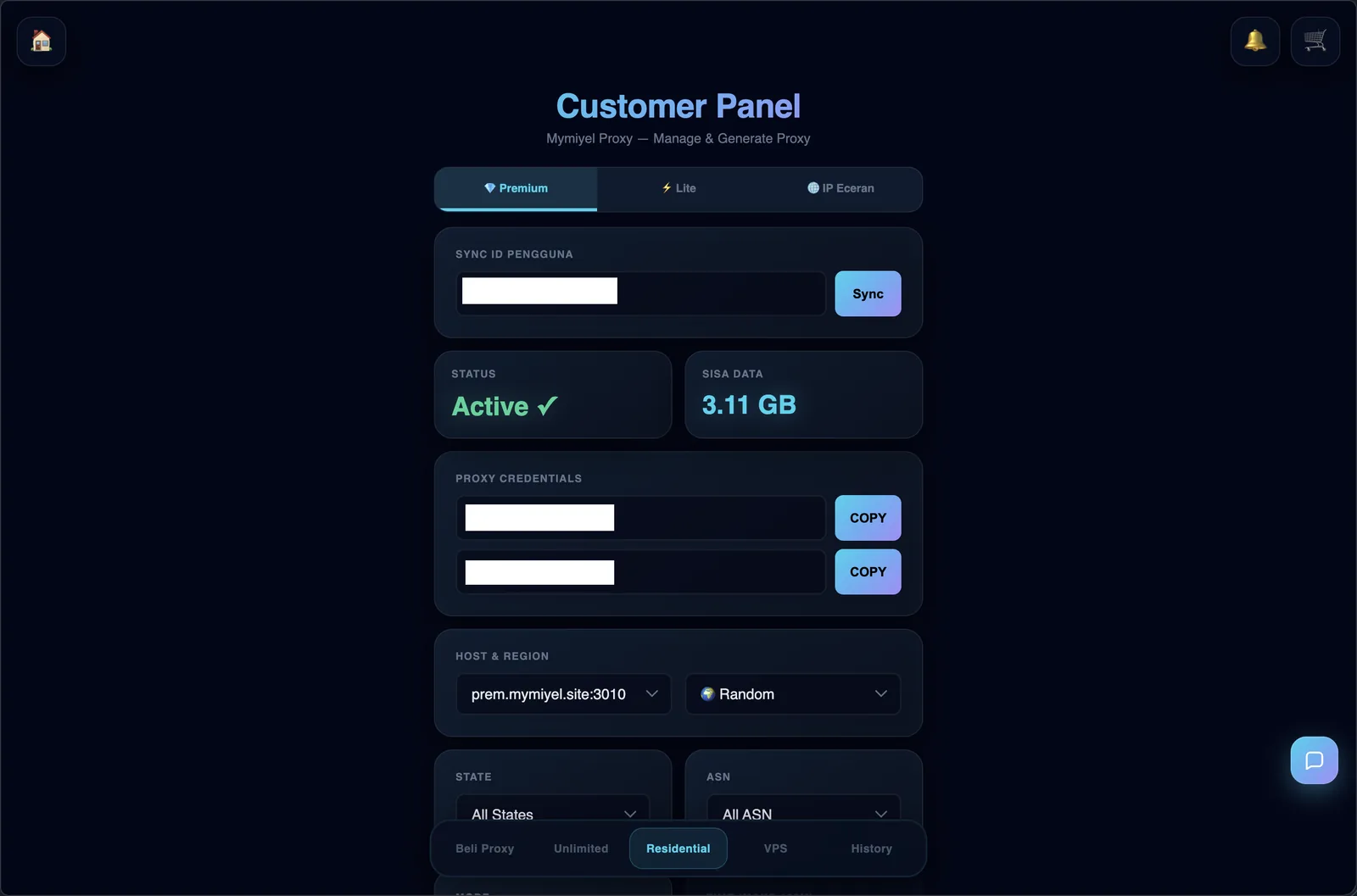
The provider panel. The host, region, and ASN selectors are on the right.
Pointing your browser at it
Any Chromium-based tool accepts a proxy. Three equivalent ways:
- Launch flag:
--proxy-server=http://host:port - Environment:
HTTP_PROXYandHTTPS_PROXY - Playwright or Puppeteer: pass
proxy: { server, username, password }tolaunchornewContext
My bookmark manager is Marka, built on Karakeep, which exposes the crawler’s proxy as config, so I did not touch any code. Three environment variables:
CRAWLER_HTTP_PROXY=http://USER-region-Rand:PASS@prem.mymiyel.site:3010
CRAWLER_HTTPS_PROXY=http://USER-region-Rand:PASS@prem.mymiyel.site:3010
CRAWLER_NO_PROXY=localhost,127.0.0.1,.local
The first two route the headless browser’s traffic through the gateway. CRAWLER_NO_PROXY keeps internal calls (the app talking to its own services) off the proxy, so I am not burning paid bandwidth or breaking local networking. Restart, re-crawl, and the broken previews fill in.
Extending it to agents
I built this for a deterministic crawler: a fixed pipeline that loads a page and screenshots it. I have not pointed it at an AI agent yet, but the mechanism is identical, and it is the obvious next step.
For an agent driving a browser, you would rotate the exit IP per browser spawn or per task, so each session looks like a different mobile user. The proxy config is the same, you just wire the rotation into wherever the agent launches its browser context.
One honest caveat about the jump from crawler to agent: agents are not low-volume. An agent clicking through a site generates a lot of navigation, and that is exactly the regime where behavioral detection wakes up. The IP layer alone will not carry you there. On top of the trusted IP you would also want a consistent browser fingerprint and human-like pacing. The IP is the foundation, not the whole building.
Use it responsibly
This is for reaching public content for legitimate use, in my case generating link previews for bookmarks I personally saved. Keep it there. Respect robots.txt and rate limits, do not hammer sites, and remember that residential and mobile proxies route through real people’s connections and a real carrier’s network. The goal is to look like a normal visitor, because your traffic basically is one, not to abuse anything.